Filter. Organize. Archive.

Scan folders, select the file extensions you need, and create ZIP archives without modifying your original files. Free, local, and open source.
Features

A simple and focused workflow to keep only the files you need.

Scan

Scan folders recursively and discover file extensions, grouped with their file counts.

Filter

Find and select the file extensions you need, keeping unwanted file types out of your archive.

Archive

Create ZIP archives while preserving the original folder structure or flattening files into a single directory.

How it works

Create a ZIP archive in three simple steps.

  1. Choose another folder.The selected C:\Example folder and its 65-file counter.
    Choose another folder.The selected C:\Example folder and its 65-file counter.

    Choose a folder

    Select the folder you want to analyze. ExtSieve scans its contents and groups files by extension.

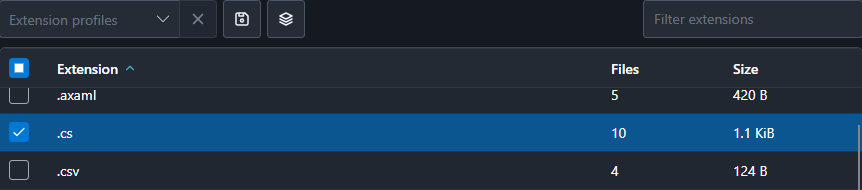
  2. The extension filter contains cs.The .cs checkbox is selected; .csv is not selected.
    Filter extensions above the extension list.The .cs checkbox is selected; .csv is not selected.

    Select extensions

    Browse the results, filter extensions, and select the file types you want to include in your archive.


  3. Keep folder structure or put all files together, with C:\Example.zip as output.Save the ZIP archive.
    Keep folder structure is selected.Put all files together is the alternative archive layout.The ZIP output path is C:\Example.zip.Save the ZIP archive.
    Keep folder structure or put all files together, with C:\Example.zip as output.Save the ZIP archive.
    Keep folder structure is selected.Put all files together is the alternative archive layout.The ZIP output path is C:\Example.zip.Save the ZIP archive.

    Create your ZIP

    Choose whether to preserve the folder structure or flatten it, then save your ZIP archive.

Screenshots

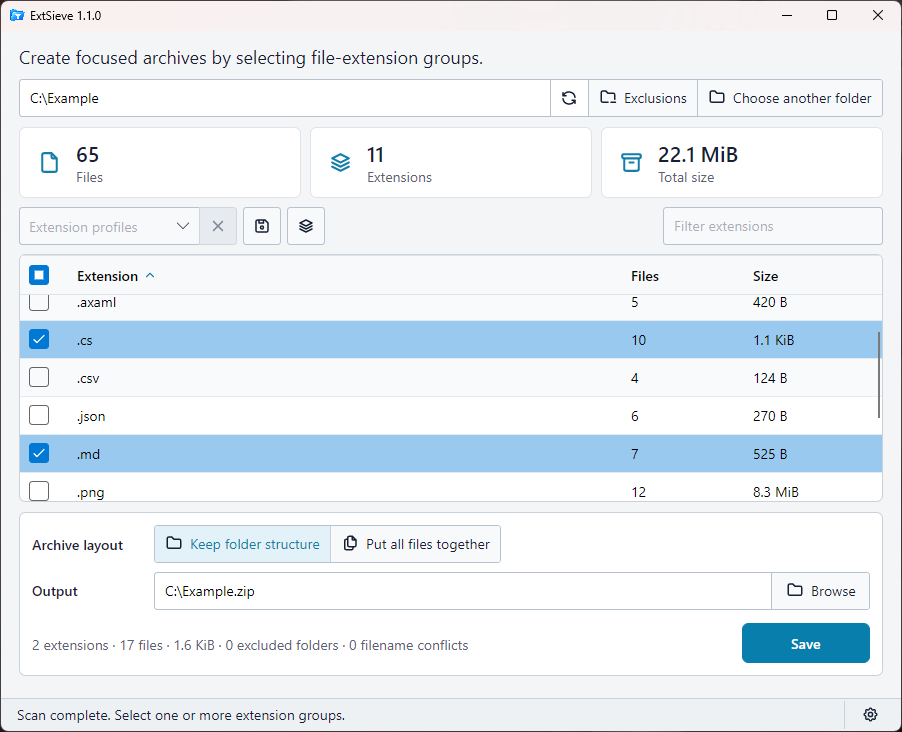
ExtSieve in Light theme, with .cs and .md selected for a ZIP archive.
Light
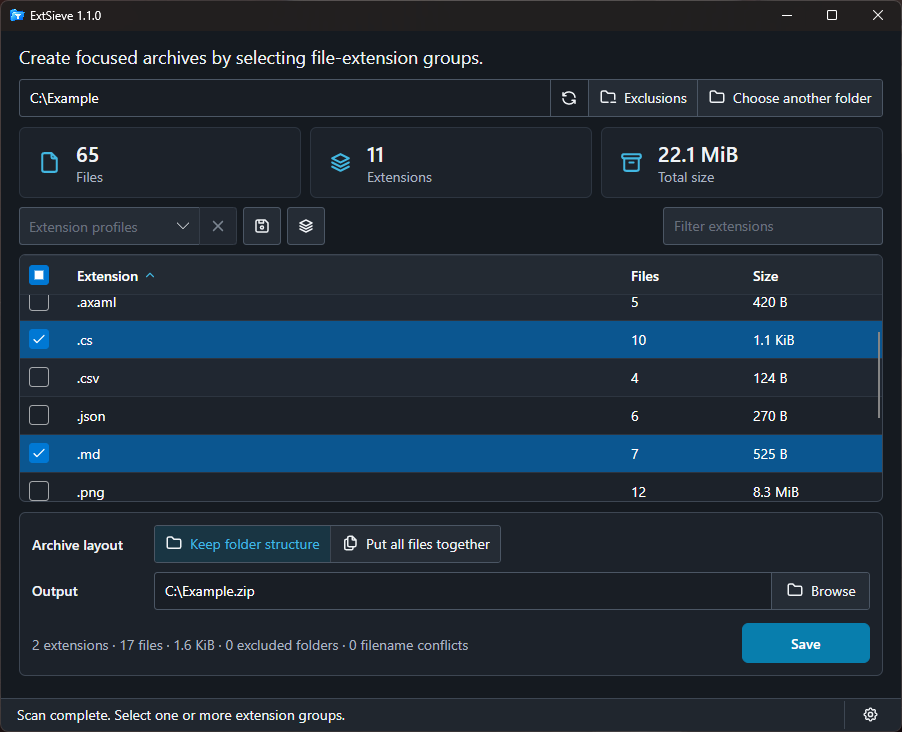
The same ExtSieve folder and selection in Dark theme.
Dark

Download ExtSieve

Get the latest official release for Windows or Linux.

v1.1.0

Open image file